API key providers
Connect providers that authenticate with an API key instead of OAuth.
Some providers authenticate with a single opaque API key instead of OAuth. Pipes supports these as a first-class authentication method: your users provide their key, WorkOS stores it securely, and you retrieve it from your backend using the same flow you already use for OAuth access tokens.
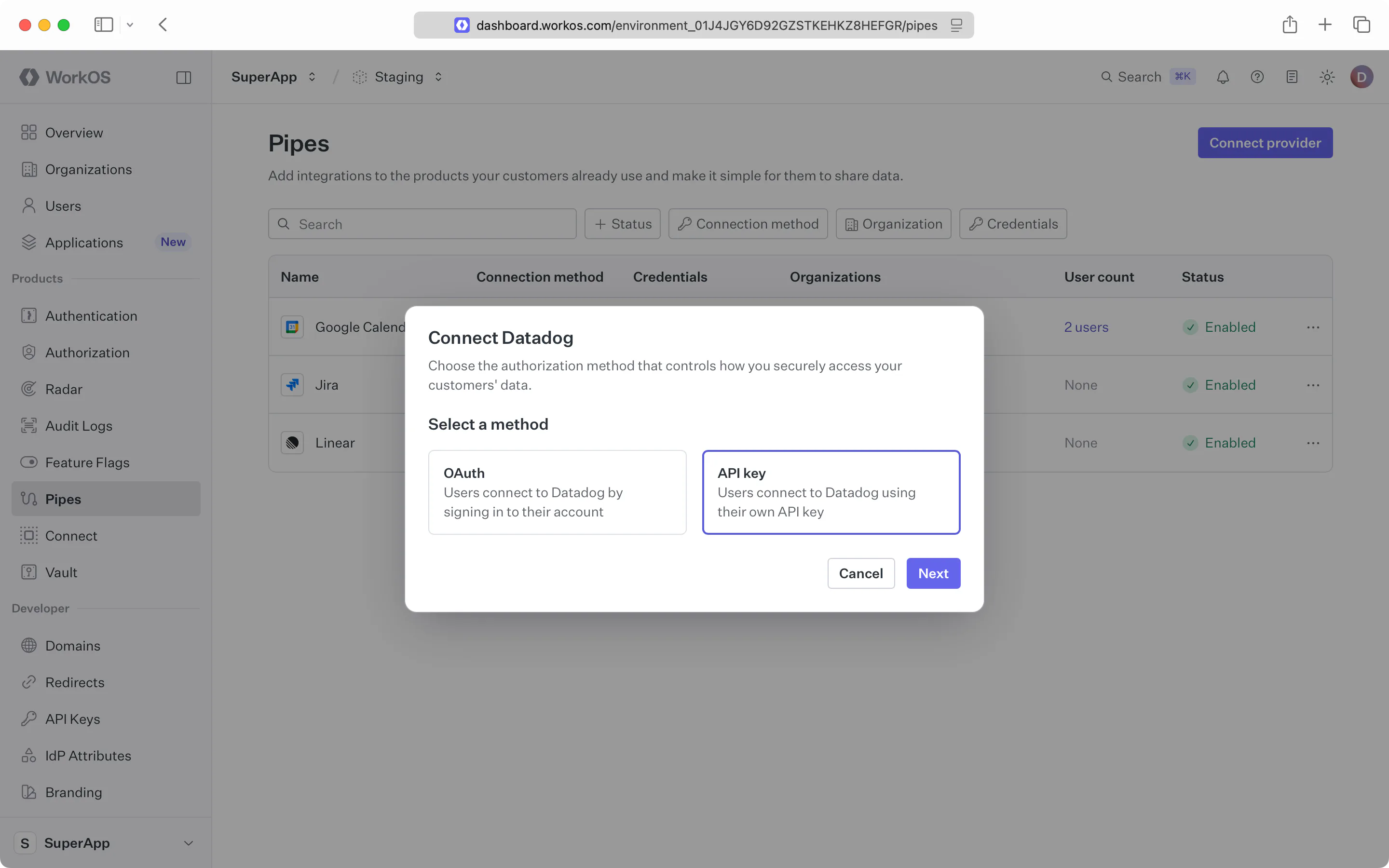
Visit the Pipes section of the WorkOS Dashboard and click Connect provider, then choose the provider from the list. When adding a provider, you choose a single authentication method for the integration.
A provider is configured as either OAuth or API key – not both. This choice is made when you add the provider and can’t be changed afterward. If you need to switch a provider from one method to the other, remove it and add it again with the method you want.
When you choose API key, the only field you can set is an optional description, which is shown to your users in the widget to explain how your application will use their data.
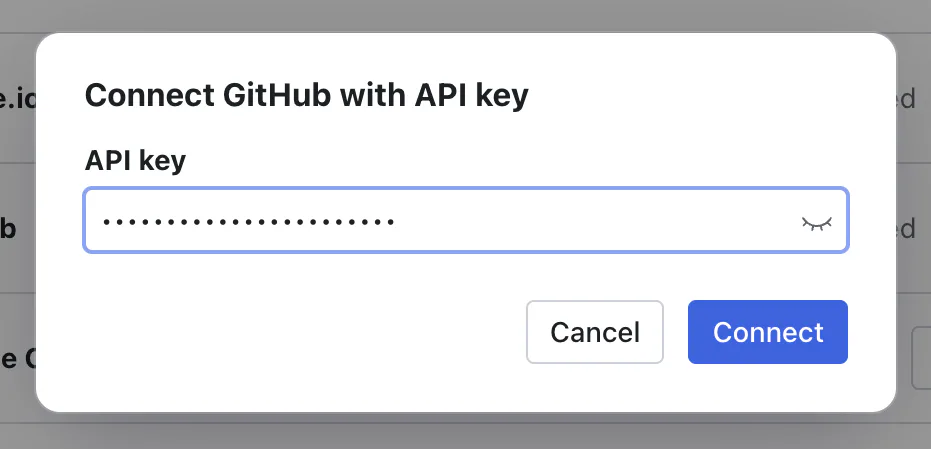
Users can set their key through the Pipes widget, which renders an API key entry form for any provider configured to use API keys. They paste their key and submit it; WorkOS stores the credential and the widget then shows the last four characters so they can confirm which key is connected and rotate it later.
You can optionally set or rotate a user’s key from your backend with the upsert API key endpoint. The same endpoint handles both the initial install and subsequent rotations – supplying a new secret replaces the stored one.
Once a user has connected an API key provider, fetch their credential from your backend with the vend credentials endpoint.
| curl --request POST \ | |
| --url "https://api.workos.com/data-integrations/github/credentials" \ | |
| --header "Authorization: Bearer sk_example_123456789" \ | |
| --header "Content-Type: application/json" \ | |
| -d @- <<'BODY' | |
| { | |
| "user_id": "user_01EHZNVPK3SFK441A1RGBFSHRT" | |
| } | |
| BODY |
| import { WorkOS } from '@workos-inc/node'; | |
| const workos = new WorkOS(process.env.WORKOS_API_KEY); | |
| const result = await workos.pipes.createDataIntegrationCredential({ | |
| slug: 'github', | |
| userId: 'user_01EHZNVPK3SFK441A1RGBFSHRT', | |
| }); |
| require "workos" | |
| WorkOS.configure do |config| | |
| config.api_key = "sk_example_123456789" | |
| end | |
| WorkOS.client.pipes.create_data_integration_credential( | |
| slug: "github", | |
| user_id: "user_01EHZNVPK3SFK441A1RGBFSHRT" | |
| ) |
| from workos import WorkOSClient | |
| client = WorkOSClient(api_key="sk_example_123456789", client_id="client_123456789") | |
| client.pipes.create_data_integration_credential( | |
| slug="github", user_id="user_01EHZNVPK3SFK441A1RGBFSHRT" | |
| ) |
| package main | |
| import ( | |
| "context" | |
| "github.com/workos/workos-go/v9" | |
| ) | |
| func main() { | |
| client := workos.NewClient("sk_example_123456789") | |
| _, err := client.Pipes().CreateDataIntegrationCredential(context.Background(), "github", &workos.PipesCreateDataIntegrationCredentialParams{ | |
| UserID: "user_01EHZNVPK3SFK441A1RGBFSHRT", | |
| }) | |
| if err != nil { | |
| panic(err) | |
| } | |
| } |
| <?php | |
| use WorkOS\WorkOS; | |
| $workos = new WorkOS( | |
| apiKey: "sk_example_123456789", | |
| clientId: "client_123456789", | |
| ); | |
| $workos | |
| ->pipes() | |
| ->createDataIntegrationCredential( | |
| slug: "github", | |
| userId: "user_01EHZNVPK3SFK441A1RGBFSHRT", | |
| ); |
| import com.workos.WorkOS; | |
| import com.workos.pipes.PipesApi.CreateDataIntegrationCredentialOptions; | |
| WorkOS workos = new WorkOS("sk_example_123456789"); | |
| CreateDataIntegrationCredentialOptions options = | |
| CreateDataIntegrationCredentialOptions.builder() | |
| .userId("user_01EHZNVPK3SFK441A1RGBFSHRT") | |
| .build(); | |
| workos.pipes.createDataIntegrationCredential("github", options); |
| using WorkOS; | |
| var client = new WorkOSClient(new WorkOSOptions { | |
| ApiKey = "sk_example_123456789", | |
| ClientId = "client_123456789", | |
| }); | |
| await client.Pipes.CreateDataIntegrationCredentialAsync("github", new PipesCreateDataIntegrationCredentialOptions { | |
| UserId = "user_01EHZNVPK3SFK441A1RGBFSHRT", | |
| }); |
| use workos::Client; | |
| use workos::pipes::CreateDataIntegrationCredentialParams; | |
| #[tokio::main] | |
| async fn main() -> Result<(), workos::Error> { | |
| let client = Client::builder() | |
| .api_key("sk_example_123456789") | |
| .client_id("client_123456789") | |
| .build(); | |
| let _result = client | |
| .pipes() | |
| .create_data_integration_credential( | |
| "github", | |
| CreateDataIntegrationCredentialParams { | |
| user_id: "user_01EHZNVPK3SFK441A1RGBFSHRT".into(), | |
| ..Default::default() | |
| } | |
| ) | |
| .await?; | |
| Ok(()) | |
| } |
| { | |
| "active": true, | |
| "credential": { | |
| "object": "credential", | |
| "auth_method": "api_key", | |
| "value": "sk-1234567890abcdef" | |
| } | |
| } |